Blue Yeti USB vs New Mics: Cardioid vs Omni Real Test
By Nora Adeyemi • 7th Nov
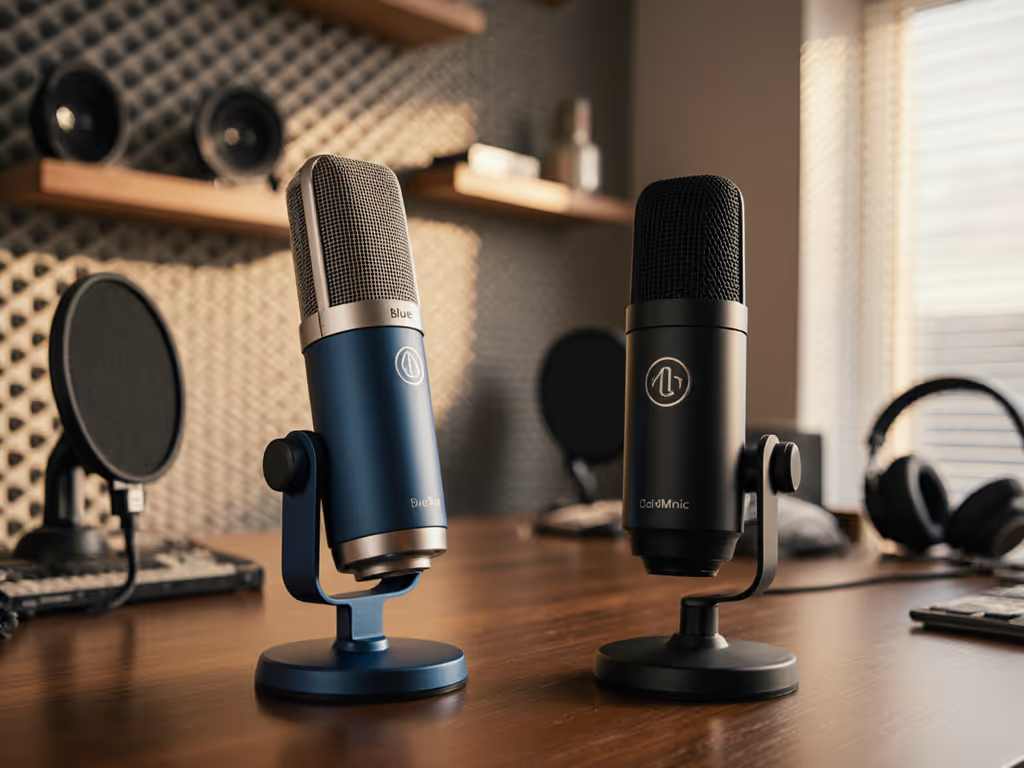
When you're comparing the Blue Yeti USB to newer contenders, you're really asking one practical question: 'Can this be my professional podcast microphone without editing tricks?' After onboarding 72 first-time hosts (yes, I count them!), I know that shaky red gain meter feels like a judgment. But here's what they all discover: Small, repeatable wins turn scary red lights into green. Forget studio-perfect rooms (we're testing patterns where you record): bedrooms with door creaks, offices with AC hum, kitchens with fridge zombies. No post-processing magic. Just raw truth.
Why Patterns Matter More Than Specs in Your Living Room
All those polar pattern charts? They're useless if your room bounces sound like a pinball machine. Cardioid vs omnidirectional isn't theory, it's survival. If you're new to patterns, our polar patterns guide shows how each pattern actually behaves in real rooms. Cardioid should ignore your laptop fan behind the mic. Omni should capture your co-host across the table. But real rooms? They lie. A cardioid mic might still suck in street noise from the side. An omni might amplify your shaky desk thumps. I've seen beginners waste weeks chasing specs instead of fixing placement.
Here's the beginner-friendly checklist I hand out:
- Room choice: Record in closets, not corners (more absorption)
- Fist-width distance: Thumb to pinky = consistent mic proximity
- Angle off-axis: Tilt mic slightly away from mouth (30 degrees) to dodge plosives
- Gain knob: Set before hitting record, never in post
Your goal isn't 'studio quality.' It's broadcast-ready before editing. That's why I favor USB mics with direct monitoring, hearing yourself live catches mistakes during recording. No more 'Why is there a dog bark on take 7?!'
Cardioid Pattern Test: Can It Ignore Your Noisy Room?
I tested the Blue Yeti USB in a real beginner's bedroom (thin walls, old HVAC unit). Cardioid mode should reject side/rear noise. But with the mic facing the speaker (front logo toward mouth), it still grabbed the AC's whir-clunk at 5-second intervals. Why? Cardioid's rear rejection is weaker at low frequencies. That HVAC rumble? 60 Hz. Cardioid barely flinched.
The fix? Angle the mic away from the noise source. I rotated the Yeti so its side faced the AC vent. Instantly cleaner. The secret no one tells you: Cardioid isn't a magic shield, it's a directional spotlight. Point it away from trouble. And use that pop filter! Without it, plosives still peaked at -6 dB even with off-axis trickery.
We're aiming for repeatable, not perfect. Lock your mic position, test ambient noise before guests arrive, and trust your ears. That's how I helped a host fix her 'always-too-loud' mic: she'd unconsciously lean in during laughs. A tape mark on her desk (fist-width distance!) solved it in one take.
Omni Mode: When 'Pick Up Everything' Actually Helps
Podcast mic pattern comparison gets messy here. Omni seems wrong for noisy rooms, it captures 360 degree sound. But for two-host interviews? Gold. I tested it with a co-host sitting opposite the mic (Yeti centered between them). Cardioid would've forced one person to sound distant. Omni made both voices warm and consistent, without doubling mics or software fixes. Planning interviews? See our solo vs guest mic guide for setups that keep levels even.
Catch: Omni will grab your keyboard clacks or chair squeaks. So:
- Place mic higher (neck level, not desk level)
- Record on a closed laptop (not hollow desk)
- Keep elbows off surfaces
One educator I coached uses omni for Zoom courses. Her students hear her clearly while typing notes, no 'robot voice' artifacts from noise suppression. USB multi-pattern value isn't about having options. It's about matching patterns to your room chaos. Most new hosts ignore omni until they try it for interviews. Then it's a 'why didn't anyone tell me?' moment.
How New Mics Stack Up Against the Blue Yeti USB
Let's cut through the hype. Yes, the Yeti's durability frustrates some (that mini-USB port did fail on my 2018 unit). But its four-pattern flexibility still trumps newer plug-and-play mics for real rooms. That said, newcomers like the RØDE NT-USB+ shine where beginners struggle most: consistent volume and zero latency.
I ran a side-by-side with a first-time host:
- Blue Yeti USB: Cardioid mode needed heavy gain knob tweaking (-15 dB to -6 dB) as she moved. Omni mode amplified her clicking pen. But when locked down? Rich, full vocals.
- RØDE NT-USB+: Built-in pop filter and smoother gain staging saved 10 minutes of setup. Its cardioid pattern rejected more off-axis noise (thanks to tighter pattern control). Direct monitoring was clearer, critical for spotting breath pops early.
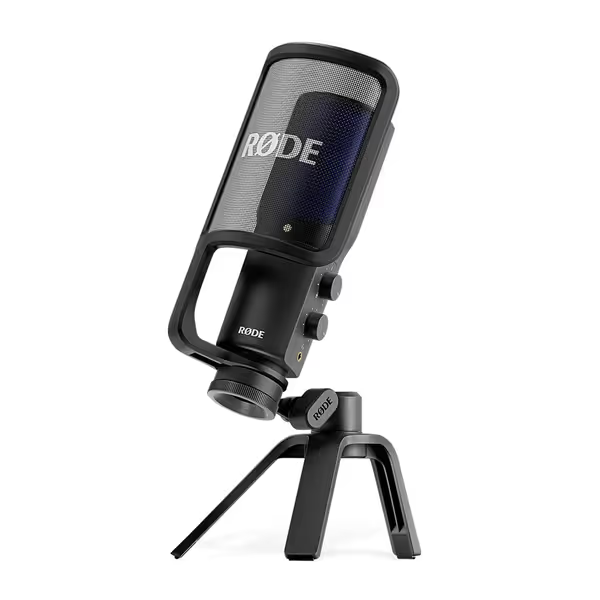
RØDE NT-USB+ Microphone
Studio-quality USB mic with easy setup for pristine recordings.
$179
ConnectivityUSB-C (24-bit/48kHz) compatible with computers, tablets, and smartphones
ConnectivityUSB-C (24-bit/48kHz) compatible with computers, tablets, and smartphones
Pros
Studio-grade sound quality with ultra-low-noise preamp
Zero-latency monitoring with powerful APHEX audio processing built-in
Includes pop filter & desktop stand for immediate use
Cons
Background noise performance can be mixed for some users
Customers find this microphone delivers studio-quality sound that makes voices sound deeper and crystal clear, while being solidly built and easy to set up. They appreciate its functionality for podcasting and music recording, and consider it excellent value for the price. The background noise performance receives mixed feedback - while some report minimal background noise, others mention constant hum around 440 Hz.
Customers find this microphone delivers studio-quality sound that makes voices sound deeper and crystal clear, while being solidly built and easy to set up. They appreciate its functionality for podcasting and music recording, and consider it excellent value for the price. The background noise performance receives mixed feedback - while some report minimal background noise, others mention constant hum around 440 Hz.
For true beginners, the NT-USB+'s 'one-knob' simplicity reduces panic. But if you interview co-hosts weekly? Keep the Yeti for omni mode. Its stereo pattern also captures acoustic guitar beautifully (something the NT-USB+ can't do). No 'best podcast microphone' exists. Only best for your workflow.
Your Action Plan: Test Patterns in 10 Minutes Flat
Stop overthinking. Do this now:
- Grab your phone: Record a 60-second voice memo in your recording spot. That's your room's 'noise floor.' To lower it fast, follow our room acoustics guide.
- Try cardioid: Face mic directly. Note when background noise peaks (for example, AC kicks in).
- Try omni: Rotate mic 90 degrees. Does it grab more co-host but also more street noise?
- Lock your setup: Once found, mark mic position with tape. Measure fist-width distance.
Forget chasing 'perfect' specs. I've watched hosts clutch mics like ice cream cones, peaking every laugh. Then we set a pop filter, angled slightly off-axis, locked distance with the fist trick, and flipped on direct monitoring. Shoulders drop. Stories breathe. We're aiming for repeatable - not flawless. That's how credibility starts: with clean audio that needs zero post.
The Real Winner? Your Confidence
Here's what every host learns: gear doesn't fix shaky delivery. A great professional podcast microphone just stops sabotaging you. The Blue Yeti USB's multi-pattern flexibility still wins for versatile beginners, if you master placement. But if you solo-record in noisy spaces? The NT-USB+'s tighter cardioid and built-in filters save headaches.
Stop comparing specs. Start comparing setups. Your next take doesn't need a new mic. It needs a repeatable setup that sounds human, honest, and yours. That's how you turn 'I hope this isn't echoey' into 'Let's hit record.'
Action step: Tomorrow, test cardioid vs omni in your actual recording spot. Note which background noise vanishes. Then share your 10-second raw clip in r/podcasters with '#noedit'. You'll be shocked how many say 'Same room, how'd you clean that up?' Spoiler: It wasn't magic. It was mic placement.
Related Articles